evaltrack
Evals are tests. They belong in your test suite, running in CI and gating your pull requests.
evaltrack is a pytest plugin that records, gates and tracks your evals. Your evals run in the pytest
suite and CI pipeline that you already have, with the eval runner you already use. Mark a test with
@pytest.mark.evaltrack and hand it the eval:
import evaltrack


@pytest.mark.evaltrack(score_bars={"helpfulness": 0.8}, flake_reruns=2)
def test_support_agent() -> None:
    ...
    evaltrack.run(dataset.evaluate_sync, support_task)
- Gate on assertions and scores. evaltrack turns your runner's assertions into a pass/fail gate, so a failing case fails the test. Score bars turn a numeric score into a gate too. See The evaltrack marker.
- Handle flakiness without rerunning CI. LLM output is nondeterministic, so evaltrack reruns only the evals that fail and tracks each case's pass-rate over time. See Flakiness & reliability.
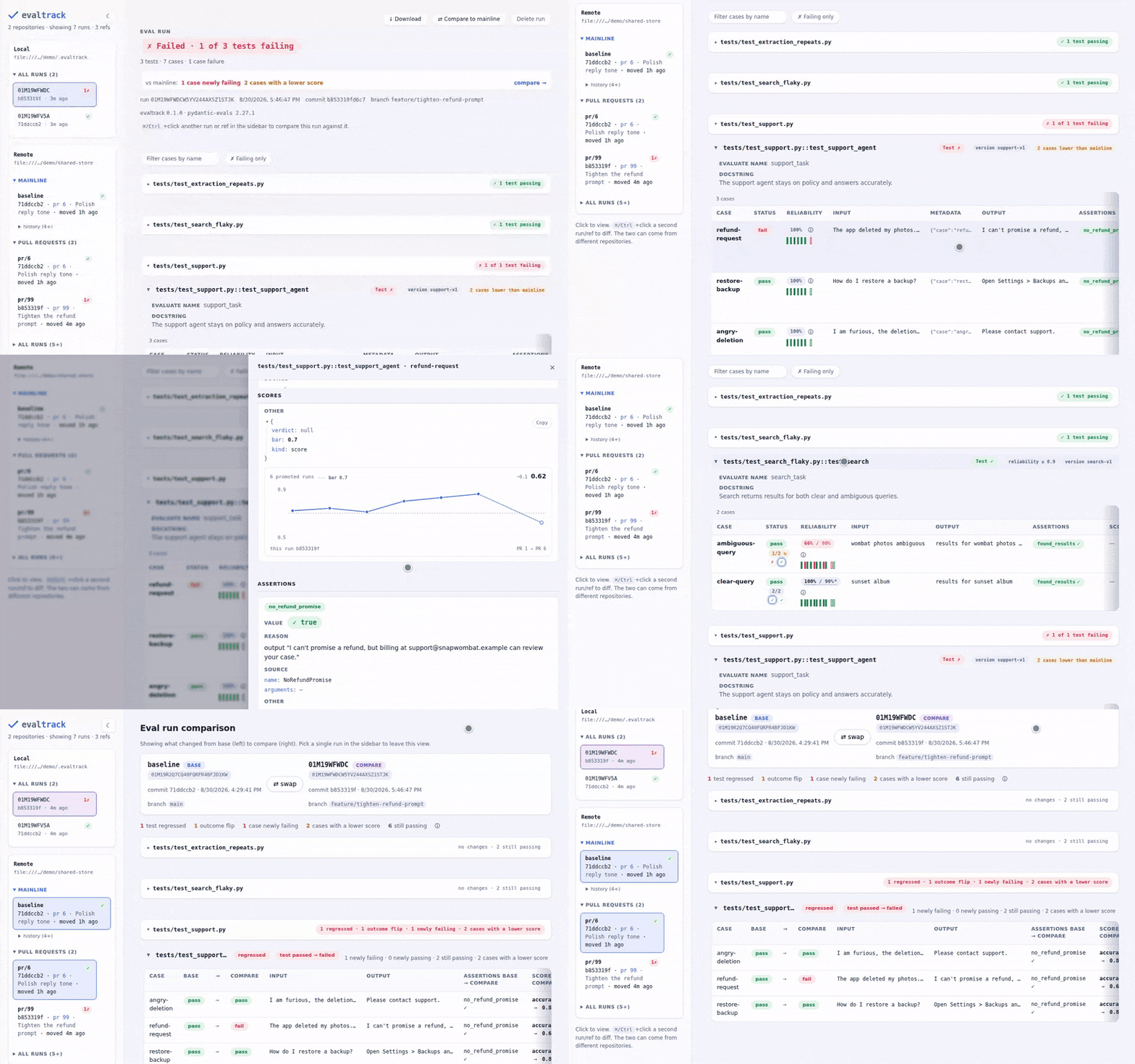
- Keep every run. Runs land in a repository you own, local files or Azure Blob Storage or Amazon S3, with a dashboard you run locally to inspect them and compare them across PRs and releases. See Repositories and storage and CI/CD.
pydantic-evals and DeepEval are supported out of the box. Another runner that fits the shape of an eval needs a small translator. See Eval runners and Translators.
Note
evaltrack is for batch evals: you run a fixed dataset through your agent or LLM logic and score the results offline. For live production monitoring and tracing, see something like online evals and Logfire.
What you end up with
flowchart LR
    dev["Write evals<br/>@pytest.mark.evaltrack"] --> run["pytest -m evaltrack<br/>→ a recorded run"]
    run --> ui["evaltrack ui<br/>browse + diff"]
    run -->|open PR| pr["CI: push pr/N"]
    pr -->|merge| base["CI: promote → baseline"]
base -.->|review against baseline| uiInstall
uv add "evaltrack[ui,pydantic-evals]"
# or
pip install "evaltrack[ui,pydantic-evals]"
Linux and macOS are supported, on Python 3.11 to 3.14. Getting started walks through a first eval, from the marker to the dashboard.
Where to go next
- Getting started: install, write a tracked eval, run it, see the results.
- The shape of an eval: cases, evaluators, results, attempts, rounds and runs.
- The evaltrack marker: the gate, score bars, exceptions, xfail.
- Flakiness & reliability:
flake_reruns,repeats, cross-run pass-rates, when to bumpeval_version. - Eval runners: using pydantic-evals and DeepEval, and connecting another runner.
- Repositories and storage: the run/ref/baseline model, where runs are stored, cleaning up, and reading runs from Python.
- CI/CD: recording a run per PR, promoting on merge, and what CI has to get right.
- Examples: runnable evals that you can copy.
Reference: CLI, Configuration and the API reference.